> For the complete documentation index, see [llms.txt](https://help.steeple.com/llms.txt). Markdown versions of documentation pages are available by appending `.md` to page URLs; this page is available as [Markdown](https://help.steeple.com/en/communautes/gerer-droits-communaute.md).
# How can content creation be opened up to community members?
### Overview
**Manage permissions** allows opening to **all members** of a community, the creation of **sections**, of **Shortcuts**, of **Jobs**, of **feeds** and of **calendars**, in addition to the people your organization already authorizes there.
This action is reserved for **administrators** : organization administrators, for all communities, and a community's administrators, for their own.
### Steps
**1.** From the **main menu** of Steeple, open **Communities**.
**2.** In the left pane, select the community.
**3.** In the top right of its space, click the menu **⋮** (three dots), then on **Manage permissions**.
The same menu also opens from the left pane when hovering over the community:
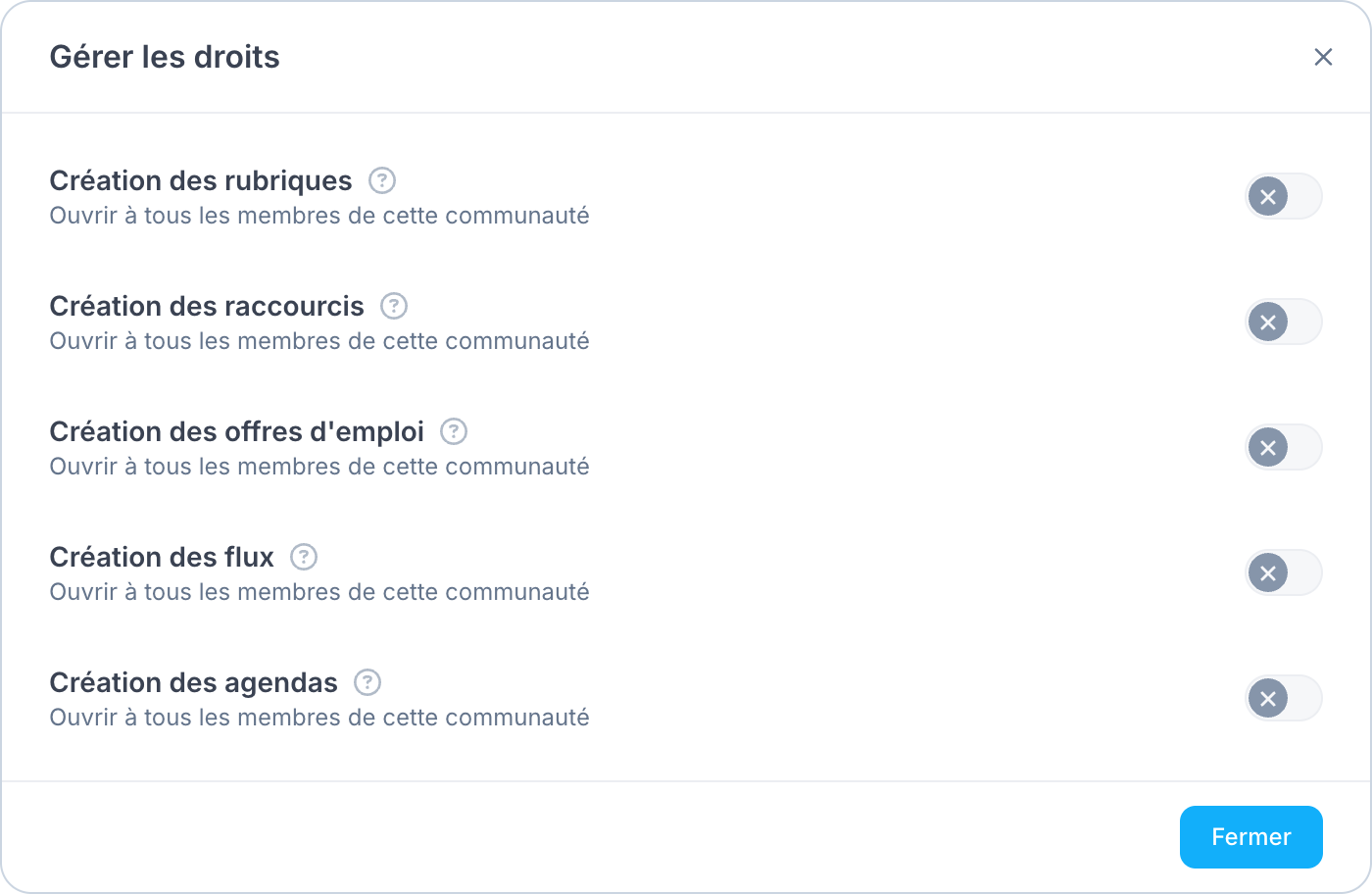
**4.** The window has one row per content type: **Creating sections**, **Creating Shortcuts**, **Creating Jobs**, **Creating feeds** and **Creating calendars**. On the desired row, turn on the switch **Open to all members of this community**. Turn it off to again reserve this creation for the people your organization authorizes. The **?** next to each row reminds you what it opens.
**5.** Click **Close**. Each choice is **saved immediately**, with no confirmation button.
### Initial state
As long as no one has changed these settings for a community, for each of the five rows:
* **Another community, manual or dynamic** : the setting is **enabled** by default, unless your organization has made a different choice for all of its communities.
* **Main community** : the setting is **disabled** by default, see below.
#### The case of the main community
The main community brings together **all employees** of the organization. Opening a creation to its members therefore opens it to everyone. That is why the five switches are **disabled** at the start, regardless of your organization's choice for the other communities: only people already authorized by your organization can create this content there.
To open it anyway, turn on the desired switch: it applies to all employees.
For more information on what members will be able to create, see [How do I manage sections in Posts?](/en/news/news-rubriques.md), [How do I create and manage Shortcuts?](/en/raccourcis/raccourcis-gestion.md), [Create a Jobs posting](/en/jobs/jobs-creer-offre.md), [Create a feed](/en/feeds/feeds-creer-flux.md) and [Calendar App — Calendars and events](/en/events/application-events.md).
### What the assistant can do
The assistant cannot change these permissions for you. It can explain where to find them in the Communities space.